Media Guidelines
Screenshots, promotional images and a gameplay video are what players see of your game before they play it. You upload them on your game's Media tab in the Y8 Developer Portal, and Y8 reviews each one before it goes live.
Everything you upload must come from your game: its own gameplay, characters and artwork. Leave out advertisements, website addresses, social media handles, store badges and anything from another game.
What to upload
Each image slot needs at least one image, and your game needs a gameplay video, before you can submit it for review. The same goes for every update of a live game: see Updating a live game.
| Slot | Size | Aspect ratio | Max file size | Up to |
|---|---|---|---|---|
| Standard Screenshot | 760 × 570 px | 4:3 | 2 MB | 6 images |
| Widescreen Screenshot | 1280 × 720 px | 16:9 | 5 MB | 6 images |
| Landscape Promo | 1920 × 1080 px | 16:9 | 5 MB | 3 images |
| Portrait Promo | 1080 × 1920 px | 9:16 | 5 MB | 3 images |
| Game Card Promo | 760 × 570 px | 4:3 | 2 MB | 3 images |
Images are JPG or PNG, at exactly the size shown: the portal turns away any other size. Y8 makes the smaller versions it needs from your upload, so you only provide the one size.
How Y8 uses them
Standard screenshots are your game's thumbnail in game lists and search results. When you upload several, Y8 shows them in turn, measures which one players click most, and then keeps that one. A few different screenshots give it more to choose from.
Widescreen screenshots and promotional images are for wider desktop layouts, mobile, and Y8's discovery and recommendation sections. Not all of those places use them yet; uploading them now means your game is ready as they arrive.
Screenshots
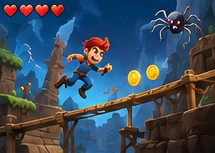
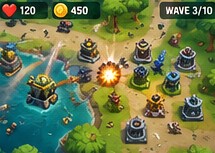
Show actual gameplay, and what players will really see in your game. Good screenshots show different, interesting parts of it:
- core gameplay and action moments;
- different levels or environments;
- important mechanics;
- characters, vehicles or enemies;
- an interesting challenge or situation.
Keep them sharp and easy to read at a small size. Avoid:
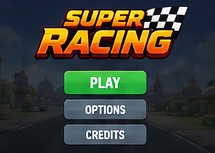
- main menus, title screens, loading or splash screens;
- website addresses, advertisements, promotional banners or store badges;
- large borders or empty space;
- edits that make the game look different from what it is;
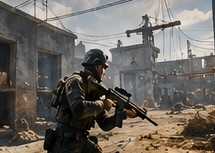
- content from another game.
Accepted

Not accepted

Promotional images
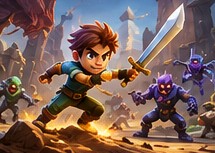
Promotional images show what your game is about: its content, style and key features. Good ones include:
- characters, vehicles, enemies or important objects;
- environments or recognisable locations;
- action that represents the gameplay;
- artwork made from your game's own assets;
- your game's logo or title, as part of the picture.
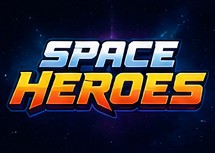
A logo or title on its own isn't enough: the image has to show the game too.
Promotional images are shown at many sizes across Y8, so keep characters, logos and other important elements away from the edges. Avoid:
- just the title or logo on a plain background;
- large amounts of text;
- website addresses, social media handles or advertisements;
- App Store or Google Play badges, prices or discounts;
- temporary messages such as events or sales;
- generic artwork, or imagery suggesting features the game doesn't have.
Accepted


Not accepted


Gameplay video
The gameplay video becomes the short preview players see when they hover over your game. Y8 makes the previews from it, in 4:3 and 16:9, so you only upload one video. You need one before you can submit your game for review.
| Video | Size | Length | Format | Max file size |
|---|---|---|---|---|
| Gameplay video | 16:9, at least 1280 × 720 px | at least 15 seconds | MP4 or MOV | 50 MB |
| Your own 4:3 clip (optional) | exactly 960 × 720 px | at least 15 seconds | MP4 or MOV | 50 MB |
Previews use up to the first 20 seconds, so start with gameplay straight away.
The 4:3 preview is cropped from the middle of your 16:9 video. If that cuts off the action, for example because important parts sit near the left or right edge, upload your own 4:3 clip and Y8 uses it instead.
A few minutes after you upload, the Media tab plays the previews, so you can check the crop before you submit. You can request a review once your video has finished processing. If Y8 can't use a video, for example because it's the wrong size or too short, the Media tab says why: upload a new one, or remove it.
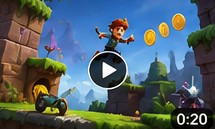
Good videos are one continuous recording of real gameplay, from the first second, that shows how the game looks and plays and works as a short loop. Avoid:
- trailers and promotional videos, or clips edited together;
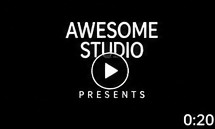
- long intros, or developer and publisher logos before gameplay;
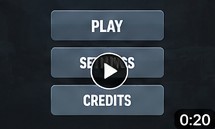
- loading screens, or most of the video spent in menus;
- website addresses, social media handles, advertisements or store promotion;
- large black borders;
- footage from another game, or edits that misrepresent the gameplay.
Accepted

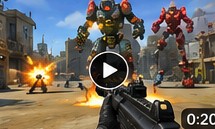
Not accepted

Review
When you request a review, Y8 checks each new image on its own:
- An approved image goes live with your game.
- A returned image comes back with the reason. Upload a fixed version and remove the returned one. One returned screenshot doesn't hold up the others.
- If every image in a slot is returned, the game can't be approved until that slot has an image Y8 can use.
Videos are reviewed the same way. A returned video shows the reason on the Media tab; upload a new one to replace it.
While your game is in review, its Media tab stays open. New uploads join the review, and Y8 checks them before approving your game. You can remove your own uploads that haven't been reviewed yet, except the last image in a slot or your only gameplay video: upload a replacement first.
Y8 may resize, crop, compress or re-encode what you upload so it works well everywhere on the site.
Updating a live game
You can change a live game's images and video at any time, without uploading a new build.
- Upload the new files on the Media tab. Players don't see them yet: your game keeps its current media until Y8 approves the new files.
- Click Request Review. Until you do, a note next to the button counts what's waiting, for example "2 images uploaded – request a review".
- Choose Keep the current live build to send only the new media. If you've also uploaded a new build, you can choose Submit a new build instead, and the new media is reviewed with it.
Your game stays live while Y8 reviews the new media, and Y8 emails you when it's approved or returned. Approved files go live. A returned file shows the reason on the Media tab, and your game keeps its current media in that slot. On the Builds tab, a review of new media alone shows as a Media update.
If your game went live before the Media tab, it may be missing some images or the gameplay video. Its next review, of new media or of a new build, needs every image slot and a gameplay video, counting what's already live.
One change per slot a week
Once Y8 approves a file in a slot, that slot takes its next upload 7 days later, and the Media tab shows the date. This counts the approvals from your game's first review too, and removing the file doesn't reopen the slot. Other slots stay open.
New screenshots and your thumbnail
When Y8 approves a new standard screenshot, it takes turns with your current thumbnail, both starting from zero, and Y8 keeps whichever players click most. Screenshots that lost earlier rounds stay on the Media tab, but Y8 no longer shows them.
Removing media
You can remove images from a live game, including ones Y8 added for you, and Y8 stops showing them. The Media tab keeps what your game needs, and says why when you try to remove:
- your current thumbnail: upload a new screenshot to take turns with it;
- your last standard screenshot, or the last one taking turns as your thumbnail;
- your last promotional image, across the three promo slots;
- a live video: upload a new one, and it replaces the old one once approved.